Staff attendance and salary, in one small app
Mark haziri every day. Hisab Pagar works out each person's salary, keeps advances and payments straight, and makes a slip you can send on WhatsApp. It works without internet.
Free · No sign-up · Android
Free · No sign-up · Nothing to install

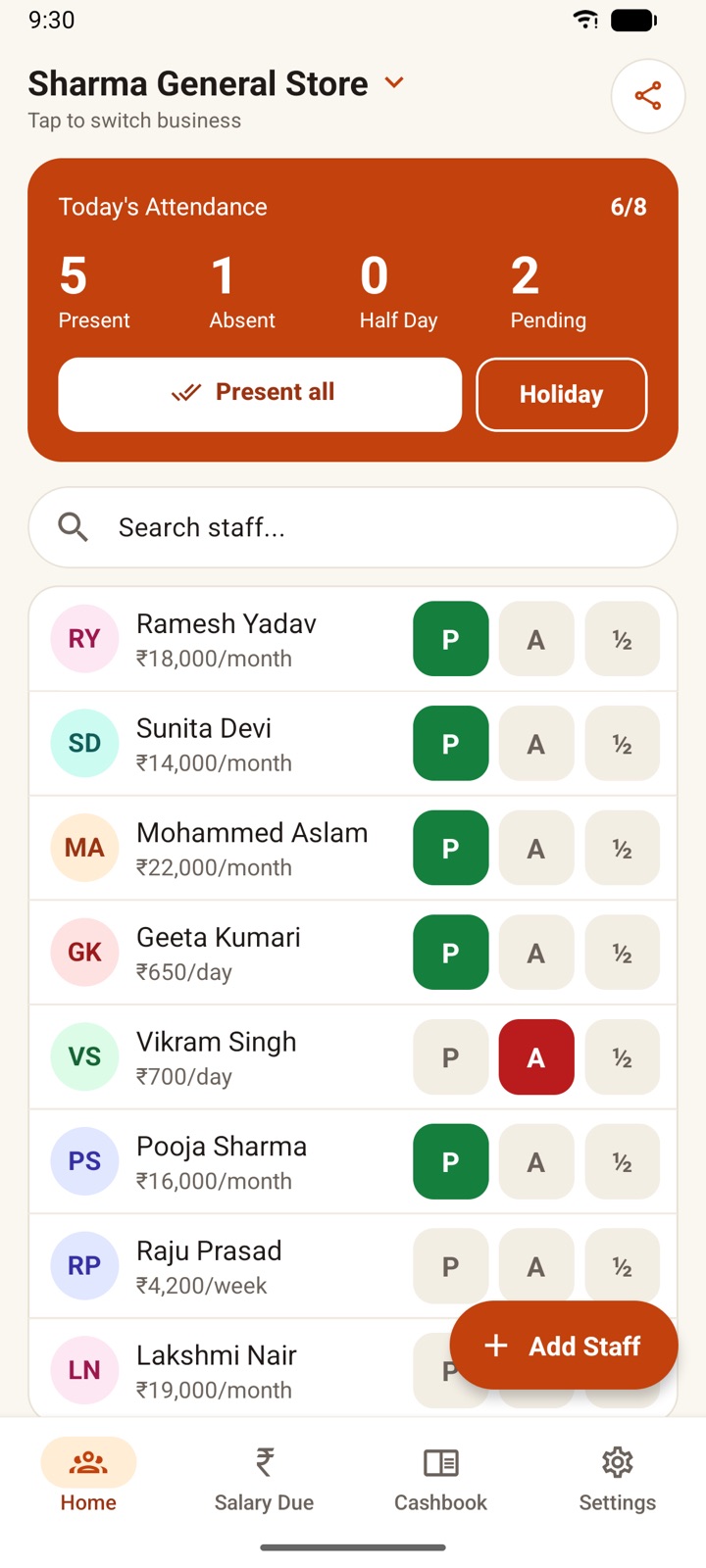
See it on your phone
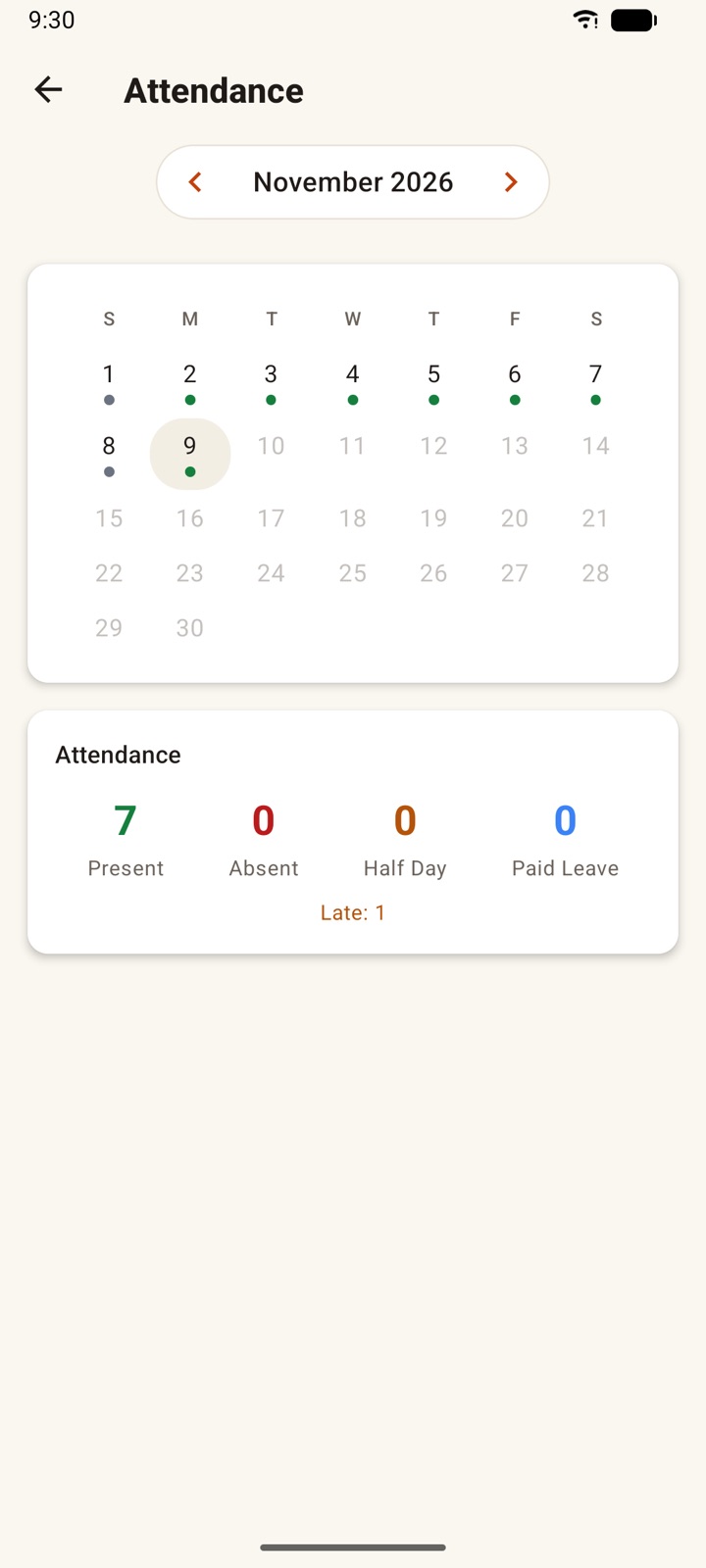
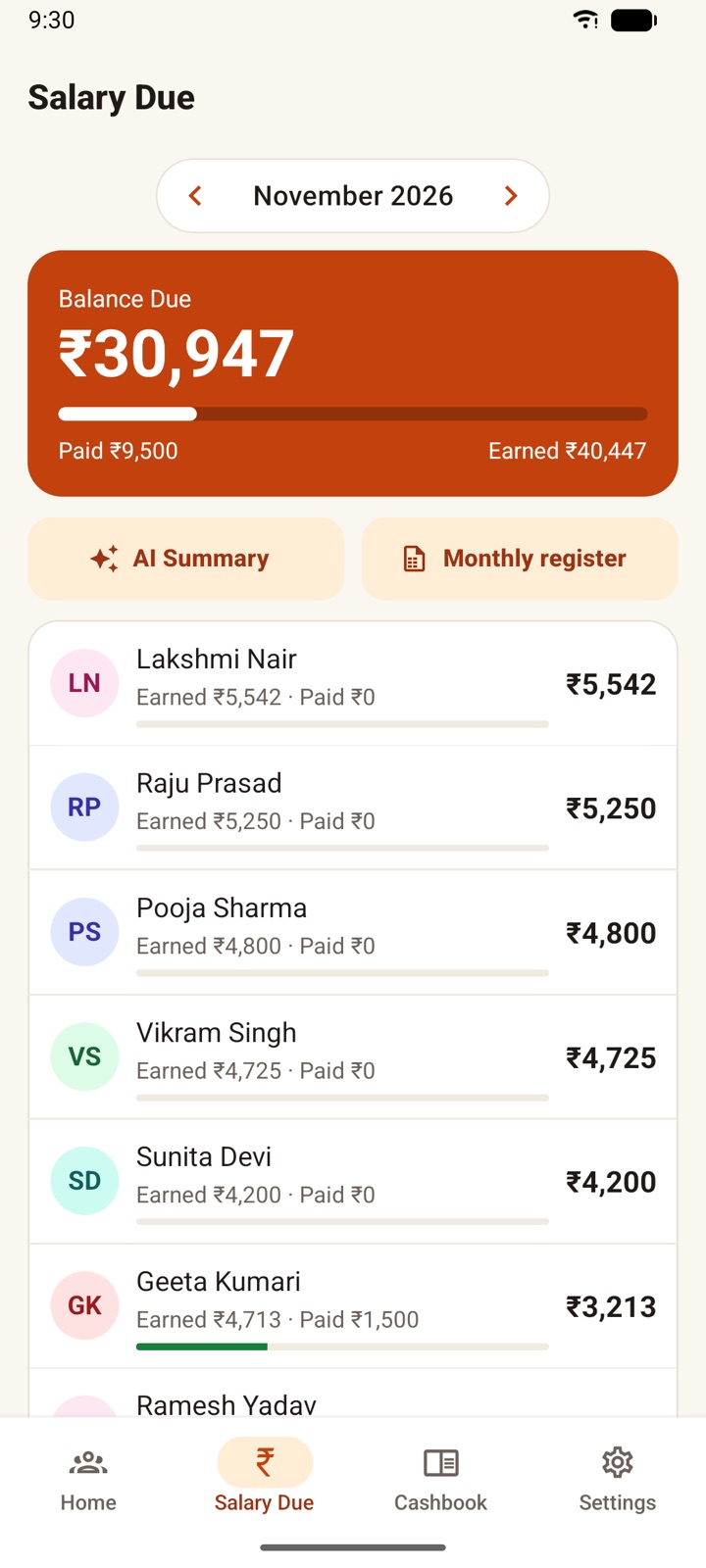
How it works
Add your staff
Name, monthly or daily wage, weekly off. Pick from your phone contacts if you like.
Mark attendance every day
Tap P for present, A for absent, ½ for half day. One tap per person. On a normal day, mark everyone present at once.
Salary is ready
See what each person has earned and what is still due after advances. At month end, share a PDF slip on WhatsApp.
What's inside
- Daily Attendance RegisterMark staff Present, Absent, Half Day, or Paid Leave with one tap, and track overtime.
- Automatic Salary CalculationSet monthly, daily, or weekly wages and let the app calculate earned salary from attendance.
- Payments & AdvancesRecord salary payments, advances, bonuses, and penalties, and always know the exact balance due.
- Cashbook (Hisab Kitab)Track business income and expenses by category, with monthly totals.
- PDF Salary ReportsGenerate salary slips and share them instantly on WhatsApp.
- Multiple BusinessesManage staff for more than one business in a single app.
- Works Fully OfflineYour staff, attendance and salary records stay on your phone. No internet needed, no account required.
- Backup & RestoreKeep your data safe and move it between devices.
- Attendance RemindersA daily reminder so you never forget to mark attendance.
Also on your computer
Hisab Pagar also runs on Windows, Mac and Linux, with the whole month's attendance register on one screen. Connect the same Google account to bring your phone's records over, or use a backup file.
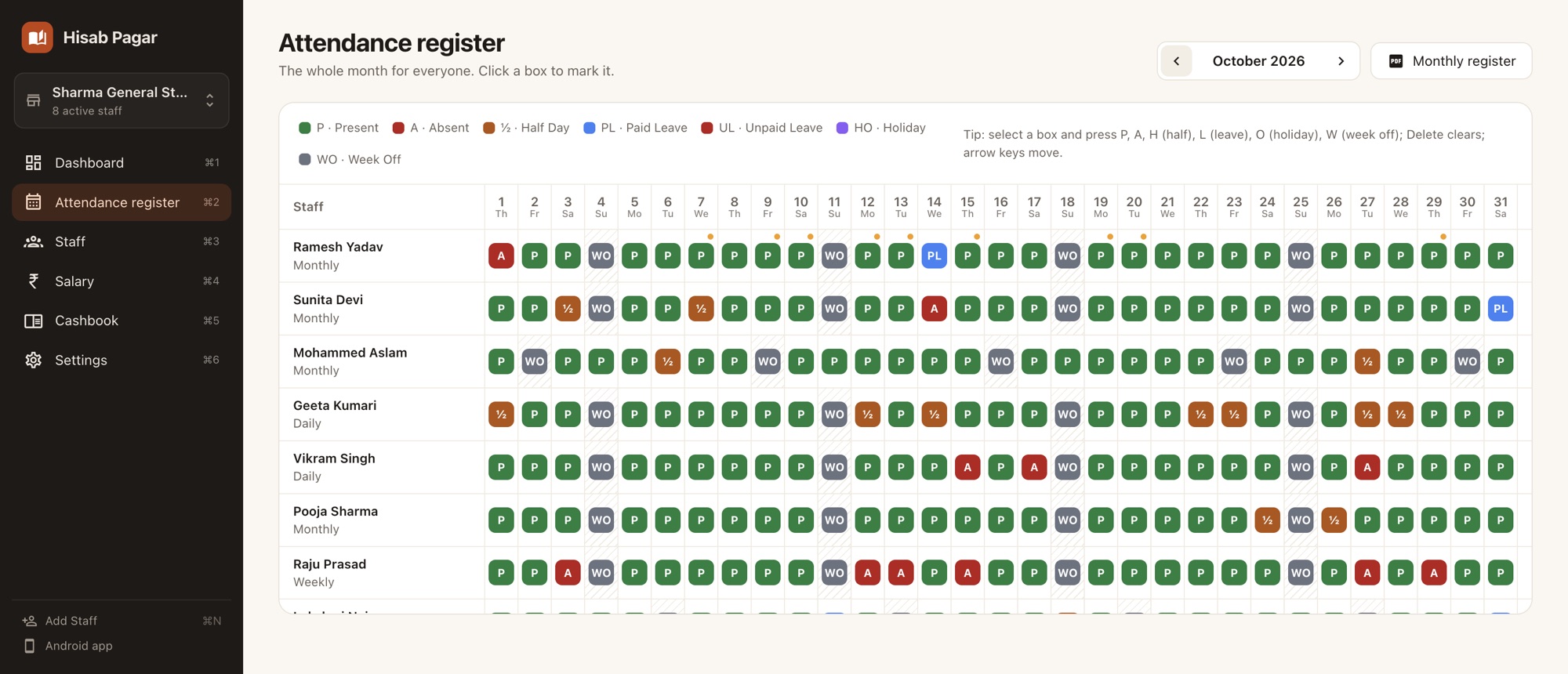
Your computer may show a security warning the first time. On Mac, right-click the app and choose Open. On Windows, click More info, then Run anyway.
Get started with Hisab Pagar
Free, works offline and needs no sign-up.
- Open Google Play
- Install Hisab Pagar
- Add your first staff member
Why owners like it
- Free to useno subscription, no hidden charges.
- Works fully offlineideal for areas with weak network.
- Simple and fastmade for busy shop and business owners.
- Privateyour data is stored only on your device.
In your language
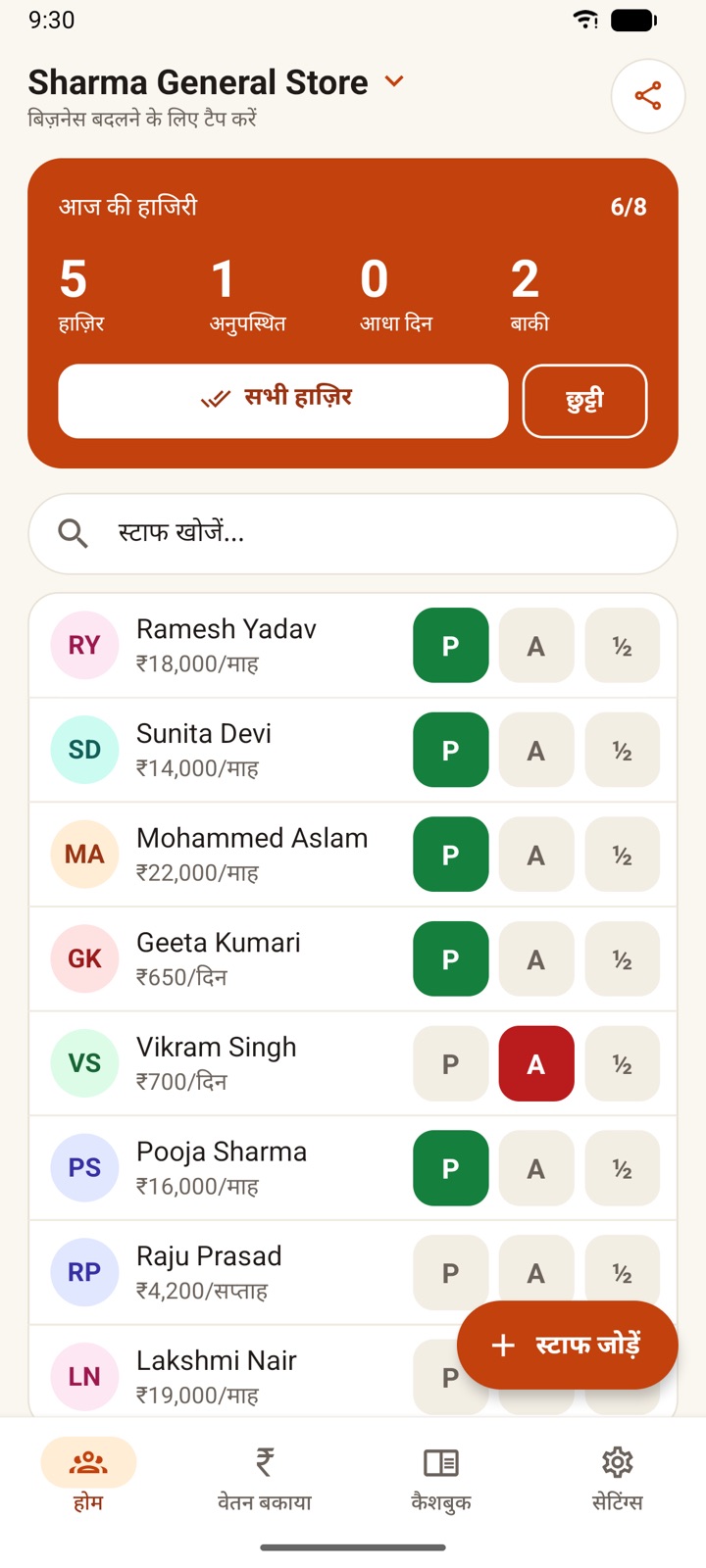
The whole app, including reminders and salary slips, is available in these languages. Tap one to read this page in it.
Guides for shop owners



Common questions
Is it really free?
Yes. There is no subscription and nothing to unlock.
Does it need internet?
No. Everything is saved on your phone and works offline. Internet is only used if you turn on Google Drive backup or the AI monthly summary.
What if I change phones or reinstall?
Turn on automatic backup in Settings. The app saves a copy in your own Google Drive every day and restores it when you sign in on the new phone. You can also export a backup file and keep it on WhatsApp.
Can my staff see the app?
No. This is the owner's register. Staff get their salary slip as a PDF when you share it.
I run two shops.
Add a second business in Settings and switch between them. Each one has its own staff and cashbook.

Staff attendance and salary, in one small app
Open in your browser Get it on Google PlayFree · No sign-up · Android
Free · No sign-up · Nothing to install